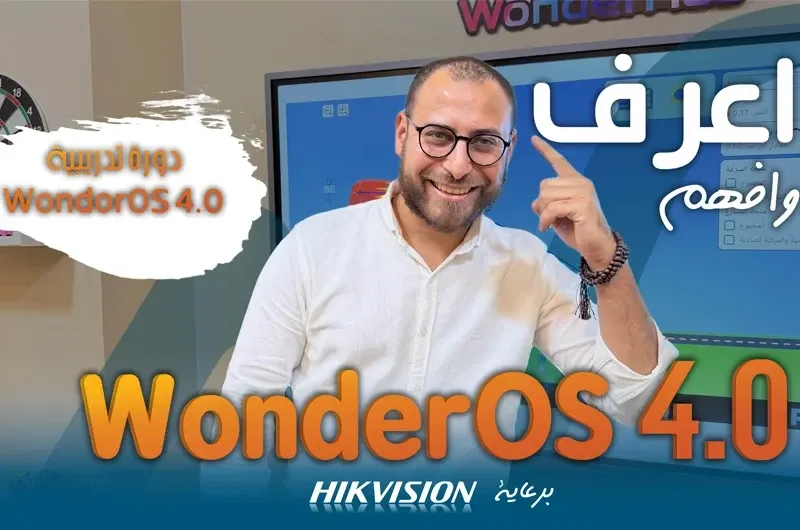
Learn Hikvision EL Interactive Displays with WAN’s Free Course
Interactive displays have become an essential technology solution for modern education, training, meetings, and presentations. They provide an interactive way to present digital content and engage with it directly on the screen.
As part of its commitment to providing modern technology solutions and supporting users with innovative educational technology, WAN – Integrated Solutions & Contracting offers a free Hikvision Interactive Display course designed to help users understand how to operate and use Hikvision interactive displays professionally.
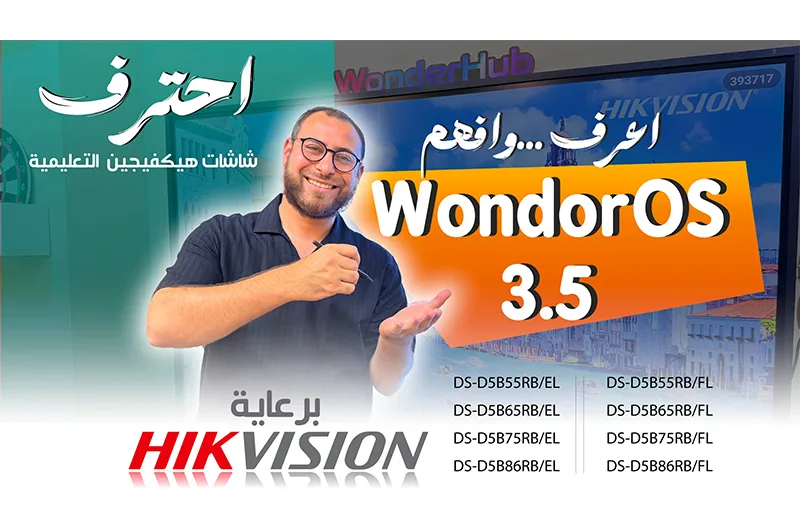
The course focuses on Hikvision Interactive Flat Panels powered by WonderOS 3.5, covering both the Hikvision EL Series and Hikvision FL Series in different screen sizes.
What Is the Hikvision Interactive Display Course?
The Hikvision Interactive Display Course is a free training course designed to introduce users to the operation, setup, and main features of Hikvision Interactive Displays.
The course covers WonderOS 3.5, writing and drawing tools, annotations, screen sharing, Screen Mirroring, file and application management, display settings, and advanced features.
It also explains how Hikvision Interactive Displays can be used in education, training, meetings, and presentations.
🎓 Watch the Free Course
Follow WAN’s complete Hikvision Interactive Display Course on YouTube and learn how to operate and use the interactive display step by step.
Add the YouTube playlist link to this anchor text:
"Watch the Complete Free Hikvision Interactive Display Course"
Course playlist:
https://www.youtube.com/playlist?list=PLSnWNM8K9sgI
What Will You Learn in the Hikvision Interactive Display Course?
The course provides practical guidance to help users become more confident in using Hikvision Interactive Panels.
Key topics include:
- How to operate and set up a Hikvision Interactive Display.
- Understanding the WonderOS 3.5 interface.
- Using writing, drawing, and annotation tools.
- Using Screen Mirroring and screen sharing.
- Managing files and applications.
- Understanding display settings and advanced features.
- Using Interactive Displays for Education.
- Using interactive displays in meetings and presentations.
- Understanding common settings and basic troubleshooting.
- Developing professional skills in using a Hikvision Interactive Flat Panel.
Understanding WonderOS 3.5
WonderOS 3.5 is one of the main topics covered in the course.
Users can learn more about the interface, available tools, and different settings, helping them navigate the interactive display more efficiently.
Understanding the operating system also makes it easier to use the display for education, training, meetings, and presentations.
Hikvision Models Covered in the Course
The course covers several models from the Hikvision EL Series and Hikvision FL Series.
Hikvision EL Series
- DS-D5B55RB/EL – 55 inches
- DS-D5B65RB/EL – 65 inches
- DS-D5B75RB/EL – 75 inches
- DS-D5B86RB/EL – 86 inches
Hikvision FL Series
- DS-D5B55RB/FL – 55 inches
- DS-D5B65RB/FL – 65 inches
- DS-D5B75RB/FL – 75 inches
- DS-D5B86RB/FL – 86 inches
The course therefore provides users with an introduction to a range of Hikvision Interactive Displays across the EL and FL Series.
Interactive Displays for Education
Interactive Displays for Education are becoming an important part of modern digital learning environments.
Teachers and trainers can use Hikvision Interactive Displays to present lessons, digital content, images, videos, and presentations while interacting directly with the content on the screen.
Writing, drawing, and annotation tools can also support more engaging presentations and lessons.
This makes the course particularly relevant to teachers, trainers, schools, and educational institutions interested in interactive learning.
Interactive Displays for Meetings and Training
The use of Hikvision Interactive Displays is not limited to education.
Interactive panels can also be used in meeting rooms, training centers, and professional environments where teams need to present and share digital content.
Features such as Screen Mirroring and screen sharing can support presentations and collaborative sessions.
Who Can Benefit from the Course?
The Hikvision Interactive Display Course is suitable for a wide range of users, including:
- Teachers
- Trainers
- IT Engineers
- System Integrators
- Technical Support Teams
- Schools
- Training Centers
- Meeting Rooms
Whether you are using a Hikvision Interactive Panel for the first time or want to improve your knowledge of its features, this course provides practical information to help you understand the display and its functions.
Why Is WAN Offering This Free Course?
WAN – Integrated Solutions & Contracting provides technology and smart education solutions while supporting users with technical knowledge and practical guidance.
Through this free Hikvision Interactive Display Course, WAN aims to help users understand the capabilities of Hikvision interactive displays and make better use of them in educational and professional environments.
Start the Free Hikvision Interactive Display Course
If you are looking for a practical way to learn how to use Hikvision Interactive Displays and understand WonderOS 3.5, you can follow WAN’s free course on YouTube.
Add the YouTube playlist link to:
"Watch the Complete Free Hikvision Interactive Display Course on YouTube"
Learn how to operate and configure the display, use writing and drawing tools, share your screen, manage applications and settings, and use interactive displays for education, training, meetings, and presentations.
WAN – Integrated Solutions & Contracting
With WAN, You’re Safe